
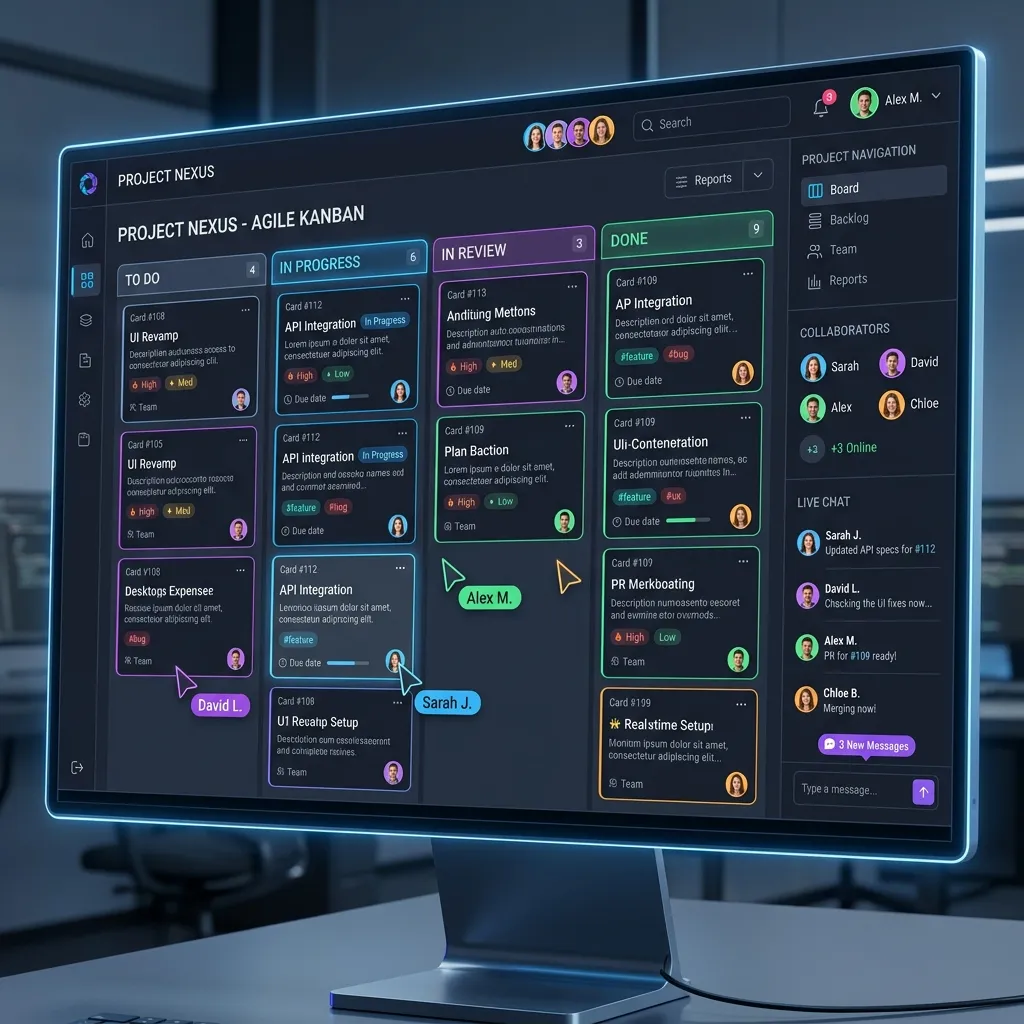
Most project management tools don't fail because of missing features, they fail because the features they have don't work together. Tasks live in one place, conversations in another, and status updates somewhere else entirely. We built this platform to fix that.
The Challenge Modern Teams Face
In today's fast-paced software development environment, productivity depends heavily on the efficiency of the tools teams use every day. However, many organizations still struggle with fragmented workflows, disconnected communication channels, and limited visibility across project activities.
As projects scale, teams often run into the same familiar pain points:
- Tasks getting lost across multiple systems
- Delayed communication between stakeholders
- Lack of real-time workflow visibility
- Inefficient sprint coordination
- Increased operational overhead
To address these challenges, we set out to build a modern Agile workflow platform designed to simplify planning, improve collaboration, and support scalable team management - all within a unified experience.
Transforming Backlogs into Structured Planning
Every successful product starts with ideas, but without structure, even the most valuable ideas are hard to manage.
We redesigned the backlog experience to function as a centralized planning environment rather than a static task list. The goal was straightforward: help teams organize work more effectively while improving visibility between product and engineering workflows.
The planning system enables teams to:
- Capture and prioritize ideas efficiently
- Align work items with sprint objectives
- Prepare execution-ready tasks faster
- Improve collaboration between stakeholders
By simplifying backlog organization and prioritization, teams spend less time managing workflows and more time delivering meaningful outcomes.
Building High-Performance Sprint & Kanban Workflows
Execution speed and workflow transparency are critical in Agile environments. Teams need systems that are responsive, intuitive, and capable of adapting to rapidly changing priorities.
To support this, we built interactive Sprint and Kanban workflows designed around usability, responsiveness, and real-time task management.
We powered the workflow experience using @dnd kit, a modern drag-and-drop library optimized for accessibility and high-performance UI interactions. This enabled smooth task movement across workflow stages while maintaining responsive rendering performance even with large datasets.
Key improvements included:
- Real-time task movement between workflow stages
- Smooth and intuitive drag-and-drop interactions
- Faster bottleneck identification
- Responsive workflows across multiple devices
- Optimized rendering for scalable task management
The result is a workflow experience that improves execution visibility while reducing operational friction for development teams.
Enabling Real-Time Collaboration with Socket.io
One of the most common productivity challenges in modern teams is fragmented communication. Switching between multiple tools for discussions, updates, and status tracking disrupts workflow continuity and reduces efficiency.
To solve this, we transformed task detail views into centralized collaboration hubs where teams can manage conversations, updates, and workflow activity in a single place.
We integrated Socket.io for bidirectional real-time communication between frontend and backend systems. This architecture ensures that updates like:
- Task comments
- Status changes
- Workflow updates
- Team activity notifications
...are reflected instantly across connected users without requiring manual refreshes.
This real-time collaboration model helps teams:
- Reduce communication delays
- Improve coordination across departments
- Maintain workflow transparency
- Minimize context switching
By integrating live synchronization directly into the workflow, collaboration becomes faster, more connected, and significantly more efficient.
Simplifying Complex State Management with Zustand
As workflow systems expand across multiple modules, workspaces, and user roles, managing application-wide state can get complicated quickly.
To maintain frontend performance while handling dynamic workflows and shared application data, we implemented Zustand as a lightweight and scalable state management solution.
Its simplified architecture enabled:
- Cleaner global state handling
- Faster UI responsiveness
- Reduced frontend complexity
- Improved maintainability across modules
- Better scalability for enterprise workflows
This approach allowed the platform to support complex interactions and administrative workflows while keeping the user experience smooth and responsive.
Supporting Enterprise Scalability with Administrative Governance
Modern organizations need more than workflow management. As teams grow, platforms must support centralized governance, secure workspace management, and operational visibility at scale.
To support enterprise-level operations, we built comprehensive Workspace and Super Admin management capabilities that provide:
- User and access management
- Workspace-level governance
- Platform-wide activity monitoring
- Organizational visibility and controls
- Administrative workflow management
To improve analytical visibility, we integrated Recharts to build responsive dashboards and data visualization interfaces that help administrators monitor platform performance efficiently.
We also streamlined the invoicing and reporting experience using jsPDF and html2canvas, enabling dynamic browser-based PDF generation for downloadable invoices and operational reports without requiring any backend rendering workflows.
Engineering Challenges We Solved
Building a real-time workflow platform isn't without its hurdles. Here are some of the trickier problems we worked through:
- Keeping tasks in sync across users: Ensuring that when one team member updates a task, everyone else sees the change instantly without conflicts was one of our biggest real-time challenges.
- Preventing unnecessary re-renders: Live updates can easily trigger excessive component re-renders. We had to carefully optimize how updates propagated through the UI.
- Designing reusable UI components: With multiple workflow modules sharing similar patterns, building truly reusable components saved us a lot of time and kept the codebase clean.
- Managing state across multiple workspaces: When the app scaled, coordinating application-wide state across different workspaces and user roles required careful architecture decisions.
- Keeping drag-and-drop smooth with large datasets: Drag-and-drop interactions that feel buttery smooth with 20 tasks can feel laggy with 200. Performance testing and optimization here was essential.
Solving these challenges pushed us to build a more thoughtful, scalable, and maintainable application architecture.
Why We Choose These Technologies
Every technology in this project was chosen to solve a specific engineering problem not just because it was popular.
- Socket.io: enabled low-latency, bidirectional communication for live collaboration without the overhead of constant polling.
- Zustand: gave us lightweight yet scalable state management that didn't add unnecessary boilerplate or complexity.
- @dnd kit: delivered accessible, high-performance drag-and-drop interactions that stayed smooth even with large task lists.
- Recharts: simplified dashboard development through composable, reusable visualization components that were easy to customize.
- jsPDF + html2canvas: allowed browser-based PDF generation without spinning up extra backend infrastructure.
Choosing tools based on practical requirements rather than trends helped us build a platform that's maintainable, performant, and easy to extend.
What I Personally Learned While Building This Platform
Every team project teaches you something collectively but it also teaches you something individually. As a fresher stepping into a real-world project for the first time, here is my honest reflection on what stuck with me from building this.
When I started, I thought the hardest part would be the features getting drag-and-drop to work, wiring up the API, building the board layout. Those were challenging, but they weren't the real lessons. The real lessons came from the moments things broke in ways I didn't expect.
Real-time sync taught me humility.
I assumed Socket.io would just "handle" synchronization. It doesn't. You still have to think carefully about when to emit, what to emit, and how the frontend reacts to each event. Early on, we had situations where two users dragging tasks at the same time would leave the board in an inconsistent state. Fixing that taught me that real-time systems aren't about speed they're about consistency. Getting the timing right mattered more than getting it fast.
I learned that performance is a design decision, not a last step.
The first version of the Kanban board worked fine with 20 tasks. With 150 tasks, it started stuttering during drags. That wasn't a bug, it was a consequence of decisions made earlier without thinking about scale. After that experience, I started asking "how does this behave at 10x the data?" much earlier in the process, not after something already ships.
State management clicked for me on this project.
Before this, I used to reach for complex solutions because they felt "more correct." Using Zustand here showed me that simplicity isn't a compromise it's often the right answer. The less global state you have, the less you have to debug when something breaks. That sounds obvious, but it genuinely took building something at this scale for it to sink in.
Reusable components aren't just about saving time — they're about staying sane.
When we shared the same board table component between the main Kanban view and the subtask modal, fixing one bug fixed both places. When we didn't do that in earlier parts of the project, a small UI change in one place would break something else we forgot was similar. Building reusable things from the start isn't extra work it's paying yourself back later.
The most valuable skill I practiced here was reading errors carefully.
Not just the stack trace, but understanding why something failed, what assumption was wrong, what edge case wasn't handled. This project had a lot of those moments, and each one made me a more careful engineer.
Looking back, the features are what the users see. But what I actually learned from this project as someone just starting out, lives in how I think about building things now more carefully, more modularly, and with a lot more respect for edge cases.
Conclusion
Building this platform reinforced one thing clearly: good software isn't just about working features it's about the decisions you make before you write the first line of code. Architecture, tooling, real-time design, component structure each of those choices either compounds into something solid or compounds into something that's painful to maintain.
This was one of the more complex projects I've been part of, and it's shaped how I approach engineering problems going forward. If any part of this resonated with you or if you're building something similar. I'd love to hear about it.